







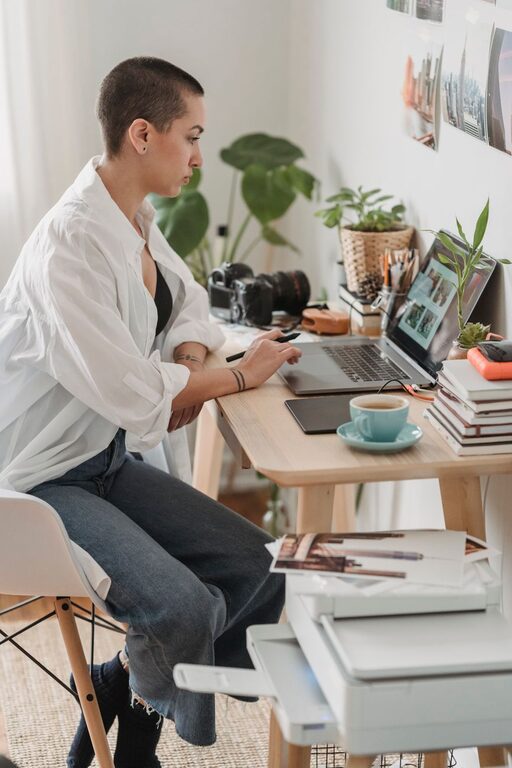
Creating a productive home workspace can greatly enhance your work-from-home experience. Whether you are a freelancer, remote employee, or simply need a dedicated area for personal projects, having a well-organized and comfortable workspace helps you stay focused and efficient. Here are some helpful tips to set up a space that works for you.
Choose the Right Location
Selecting the right spot in your home is the foundation of a productive workspace. Ideally, find a quiet corner or room with minimal distractions. A separate room is best if possible, but if space is limited, a quiet area in a living room or bedroom can work.
Consider Natural Light
Placing your workspace near a window provides natural light, which improves mood and reduces eye strain. Avoid glare on your screen by positioning your desk at an angle to the window instead of directly facing or backing it.
Minimize Noise Distractions
If you cannot escape busy areas, consider noise-cancelling headphones or white noise machines to maintain concentration.
Invest in Comfortable Furniture
Your furniture impacts both comfort and productivity. Sitting all day on an uncomfortable chair can lead to back pain and decreased focus.
Ergonomic Chair
Choose a chair with good lumbar support, adjustable height, and padded seating. Proper ergonomics reduce strain and keep you comfortable during long work sessions.
Suitable Desk
Pick a desk that fits your space and allows for proper posture. Your elbows should rest comfortably at a 90-degree angle while typing. Standing desks or adjustable desks are also options to vary your position throughout the day.
Organize Your Workspace Effectively
A cluttered desk can distract you and make it hard to find important items. An organized workspace promotes clear thinking and efficiency.
Declutter Regularly
Remove unnecessary items, papers, and gadgets from your desk. Keep only what you need for daily tasks within reach.
Use Storage Solutions
Incorporate shelves, filing cabinets, or desk organizers to keep supplies tidy. Label folders and drawers so everything has a designated spot.
Set Up Your Technology Thoughtfully
Technology is essential for most home workspaces. Ensuring your devices and tools are set up properly enhances productivity.
Reliable Internet Connection
A stable internet connection is critical. If Wi-Fi is weak, consider a wired connection or signal boosters.
Proper Monitor Placement
Position your monitor at eye level, about an arm’s length away. This helps reduce neck and eye strain.
Keyboard and Mouse
Opt for an ergonomic keyboard and mouse to minimize wrist discomfort.
Personalize Without Overdoing It
A workspace that feels welcoming can motivate you, but avoid overdecorating, which can become distracting.
– Add a few personal touches like a plant, a photo, or art that inspires you.
– Choose calming colors such as soft blues or greens to create a peaceful atmosphere.
Create a Routine and Boundaries
Being intentional about your work hours and environment helps separate home and work life.
Set Regular Hours
Keep consistent start and end times each day to maintain discipline.
Take Breaks
Stand up, stretch, and walk around regularly to stay refreshed.
Communicate Boundaries
If you share your home with others, set clear boundaries about when you are working to minimize interruptions.
Use Tools for Focus and Time Management
Leverage simple tools and apps to boost your productivity.
– Use timers like the Pomodoro Technique (25 minutes focused, 5-minute break).
– To-do lists and planners help prioritize tasks.
– Apps that block distracting websites during work hours can be very effective.
Maintain Your Space
A productive workspace requires regular upkeep.
– Clean your desk daily.
– Update supplies as needed.
– Reassess your setup periodically and make improvements.
—
Designing a home workspace tailored to your needs can transform your work routine. Prioritize comfort, organization, and focus-friendly elements, and you’ll find it easier to stay motivated and productive every day. Remember, the best workspace is one that feels right for you.