







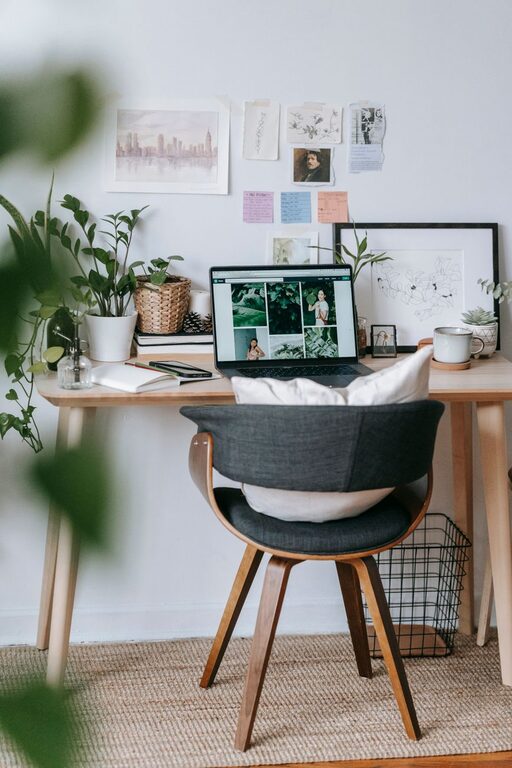
Creating a cozy and productive home office is key to maintaining focus and motivation when working from home. Whether you’re setting up a new workspace or revamping an existing one, a few thoughtful changes can make a big difference. This guide offers practical tips to help you design a home office space that is both inviting and functional.
Choose the Right Location
Your home office location impacts your ability to concentrate and feel comfortable. Select a quiet area with minimal distractions. If possible, find a room with a door that you can close to separate work from the rest of your home life.
Consider Natural Light
Natural light helps reduce eye strain and can improve mood and energy levels. Aim to set up your desk near a window to enjoy daylight. If natural light is limited, opt for bright, warm artificial lighting that mimics sunlight.
Prioritize Ergonomics
Comfort is essential to maintain productivity and avoid discomfort during long work hours.
– Desk and Chair Height: Your desk should be at elbow height when seated. Choose an adjustable chair with good lumbar support to maintain proper posture.
– Monitor Position: Place your computer screen at eye level, about an arm’s length away, to reduce neck strain.
– Keyboard and Mouse: Position them so your wrists remain straight and relaxed.
Personalize Your Space
A space that feels personal and inviting can boost creativity and comfort.
– Add a few plants to bring life and freshness to your office.
– Use artwork or photos that inspire and motivate you.
– Choose décor and colors that make you feel calm or energized, depending on your preference.
Organize Efficiently
Clutter can distract and reduce productivity. Efficient organization keeps your workspace clear and your tools accessible.
Storage Solutions
– Invest in shelves, filing cabinets, or storage bins to keep documents and supplies organized.
– Use drawer dividers and desk organizers for smaller items.
– Consider a cable management system to keep wires neat.
Daily Routine Tips
– Dedicate a few minutes at the end of each day to tidy your workspace.
– Keep only daily essentials on your desk to reduce visual clutter.
Manage Noise Levels
Noise can disrupt focus, so managing sound is important.
– Use noise-canceling headphones or white noise machines if your environment is noisy.
– Soft furnishings like rugs and curtains can absorb sound and improve acoustics.
– If possible, position your desk away from noisy areas like the kitchen or living room.
Incorporate Break Areas
Including a small space for stretching or relaxing can improve your productivity.
– Add a comfortable chair or a small couch where you can take breaks.
– Use this spot to briefly step away from your desk and recharge.
Optimize Technology and Connectivity
Good technology helps your work run smoothly.
– Ensure your internet connection is strong and reliable.
– Keep chargers, extra batteries, and tech accessories organized and within reach.
– Use a second monitor or ergonomic accessories if they improve your efficiency.
Maintain a Healthy Work-Life Balance
Creating physical and mental boundaries helps you switch off after work hours.
– Define clear work hours and stick to them.
– Use your workspace only for work to build a routine.
– Close your office door or put away work materials at the end of the day.
Final Thoughts
Designing a cozy and productive home office doesn’t require a big budget or complex renovations. By prioritizing comfort, organization, and personal touches, you can create a workspace that supports your best work. Start small, and adjust your setup as you figure out what makes you most comfortable and efficient. Your ideal home office is one that helps you work well and feel good while doing it.