







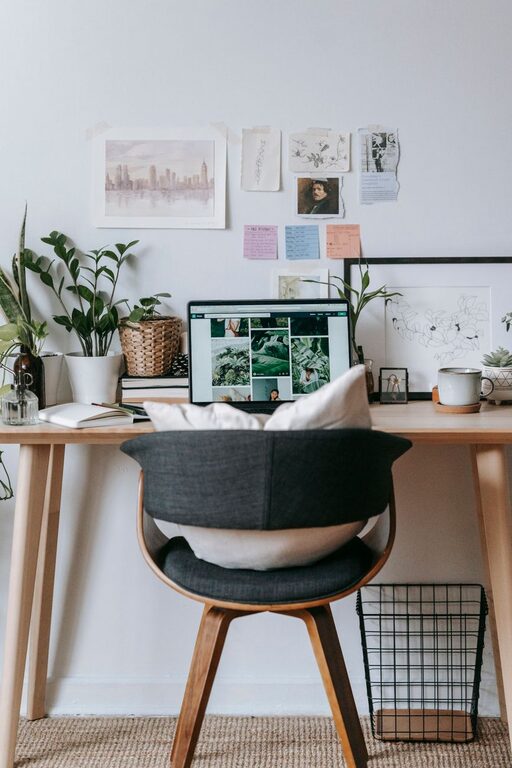
Creating a home office that is both cozy and functional can transform your work-from-home experience. A well-designed workspace helps increase focus, reduce stress, and promote creativity. Whether you have a dedicated room or just a small corner, these tips will guide you in crafting an office space that is inviting and efficient.
Choose the Right Location
Selecting the right spot for your home office is the first step toward maximizing comfort and productivity.
– Natural Light: Aim to place your desk near a window to take advantage of natural light. Sunlight can improve mood and reduce eye strain.
– Quiet Area: Pick a spot away from household noise and distractions. This might be a spare room or a quiet corner.
– Space for Movement: Ensure there’s enough room to move comfortably. Avoid cramped spaces that can feel claustrophobic.
Invest in Comfortable and Ergonomic Furniture
Comfort and ergonomics play a crucial role in maintaining your health and focus during long working hours.
– Ergonomic Chair: Choose a chair that supports your lower back and encourages good posture.
– Adjustable Desk: If possible, use a desk with adjustable height to alternate between sitting and standing.
– Desk Size: Pick a desk that offers enough space for your computer, notebooks, and other essentials without clutter.
Organize Smartly to Reduce Clutter
A clutter-free space helps to keep your mind clear and your workflow smooth.
– Storage Solutions: Use shelves, drawers, and filing cabinets to store documents and supplies.
– Desk Organizers: Containers for pens, paper clips, and chargers keep your workspace neat.
– Cable Management: Use clips or sleeves to keep cords untangled and out of sight, reducing visual distractions.
Personalize Your Space for Comfort
Adding personal touches can make your office feel inviting and motivating.
– Decorate with Plants: Indoor plants improve air quality and add warmth to the room.
– Inspirational Art: Display artwork or quotes that inspire and encourage productivity.
– Comfort Items: Include a cozy throw blanket or cushioned footrest for extra comfort throughout the day.
Pay Attention to Lighting
Proper lighting prevents eye strain and creates a welcoming atmosphere.
– Layered Lighting: Combine natural light, overhead fixtures, and task lamps for balanced illumination.
– Adjustable Lamps: Use desk lamps with adjustable brightness to suit different times of day and tasks.
– Avoid Glare: Position screens and light sources to minimize glare and reflections.
Create Zones for Different Activities
Dividing your space into functional zones can help maintain focus and keep your day organized.
– Work Zone: This area includes your desk, computer, and main work tools.
– Reference Zone: Shelves or cabinets for books, manuals, and files.
– Relaxation Zone: If space allows, add a small comfortable chair or cushions for breaks and brainstorming.
Incorporate Technology Thoughtfully
Technology can enhance your work environment when set up effectively.
– Reliable Internet Connection: Ensure your workspace has strong Wi-Fi or a wired connection.
– Quality Equipment: Invest in a good monitor, keyboard, and headset to improve comfort and efficiency.
– Tech Storage: Use stands or holders to keep devices organized and easy to access.
Maintain a Routine and Keep the Space Clean
A tidy and regularly refreshed workspace promotes ongoing productivity.
– Daily Clean-Up: Spend a few minutes each day clearing your desk of unnecessary items.
– Weekly Deep Clean: Dust surfaces, vacuum floors, and sanitize high-touch areas.
– Routine Checks: Review and reorganize your space regularly to adapt to changing work needs.
Final Thoughts
Designing a cozy and functional home office doesn’t require a large budget or complicated renovations. By focusing on comfort, organization, and personal touches, you can create a workspace that makes working from home a more enjoyable and productive experience. Start with small changes and build your ideal office over time — your mind and body will thank you!