

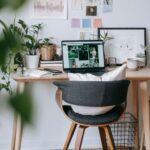



Creating a comfortable and productive home office space is essential for anyone working remotely or managing tasks from home. A well-designed workspace not only enhances focus but also helps maintain a healthy work-life balance. Whether you have a dedicated room or just a corner in your living area, thoughtful planning can transform your space into an efficient work environment.
Why a Good Home Office Setup Matters
Working from home offers flexibility but can also present distractions and challenges. An organized and comfortable office space encourages better concentration, reduces stress, and can even improve your overall well-being. Investing time to create a space that meets your needs influences both your daily productivity and long-term work satisfaction.
Choosing the Right Location
The first step is deciding where your office will be.
– Select a quiet spot: Choose a place with minimal noise and foot traffic.
– Natural light: Try to work near a window; natural light boosts mood and energy.
– Limit distractions: Avoid locations near household hubs like the kitchen or TV areas.
If space is limited, even a small nook can be customized to serve as a functional workspace.
Furniture Essentials for Comfort and Productivity
Having the right furniture can make a big difference.
Desk
– Choose a desk size that fits your needs—enough surface area for your computer, notes, and essentials.
– Consider adjustable desks or options for standing to promote movement.
Chair
– Invest in an ergonomic chair with good lumbar support.
– Adjustable height and swivel features help maintain good posture.
Storage
– Use shelves, drawers, or filing cabinets to keep your workspace clutter-free.
– Keeping supplies organized prevents distractions and saves time.
Lighting Tips for an Inviting Workspace
Good lighting reduces eye strain and improves focus.
– Combine natural and artificial light for balanced illumination.
– Use task lighting like desk lamps to brighten your work area.
– Avoid glare on your computer screen by positioning lights carefully.
Technology and Equipment Setup
Ensure your tech supports your workflow.
– Reliable internet connection is a must.
– Use quality peripherals like keyboards and mice for comfort.
– Manage cables with clips or organizers to keep your desk tidy.
Organizing and Decluttering Your Space
A clutter-free environment promotes mental clarity.
– Dedicate time weekly to tidy your workspace.
– Keep only frequently used items within reach.
– Use trays and organizers to separate documents and tools.
Personalizing Your Workspace
Adding personal touches can make the space more inviting.
– Include plants to improve air quality and create a calming atmosphere.
– Use artwork or photos that inspire you.
– Choose colors that uplift your mood—soft blues and greens are often relaxing.
Creating a Routine and Boundaries
Your environment supports your habits.
– Set working hours and stick to them.
– Use the space exclusively for work to build a mental boundary.
– Take regular breaks and stretch to maintain energy and prevent fatigue.
Tips for Small Spaces
If limited on space, try these ideas:
– Use vertical storage to maximize room.
– Foldable desks or wall-mounted workstations save space.
– Portable equipment like laptop stands can help adjust your setup as needed.
Final Thoughts
Designing a home office that balances comfort and productivity doesn’t require a huge investment. With thoughtful choices in furniture, lighting, and organization, your workspace can become a haven for focus and creativity. Remember to tailor the space to your personal work style and needs—when your home office feels good, your work naturally improves.